Google Scholar PDF Reader 新增高亮与批注功能
摘要
Google Scholar PDF Reader 新增高亮和批注功能,选中文本后可在弹窗中选择高亮颜色或添加评论,笔记自动保存到个人 Google Scholar Library,登录 Google 账号后可在任意设备访问。
摘要由模型根据原文撰写,以原文为准。
正文 · 原文
Scholar PDF Reader helps you read through your ever growing pile of papers quickly and thoroughly. Starting today, it also lets you mark key passages or jot down thoughts and questions as you read.
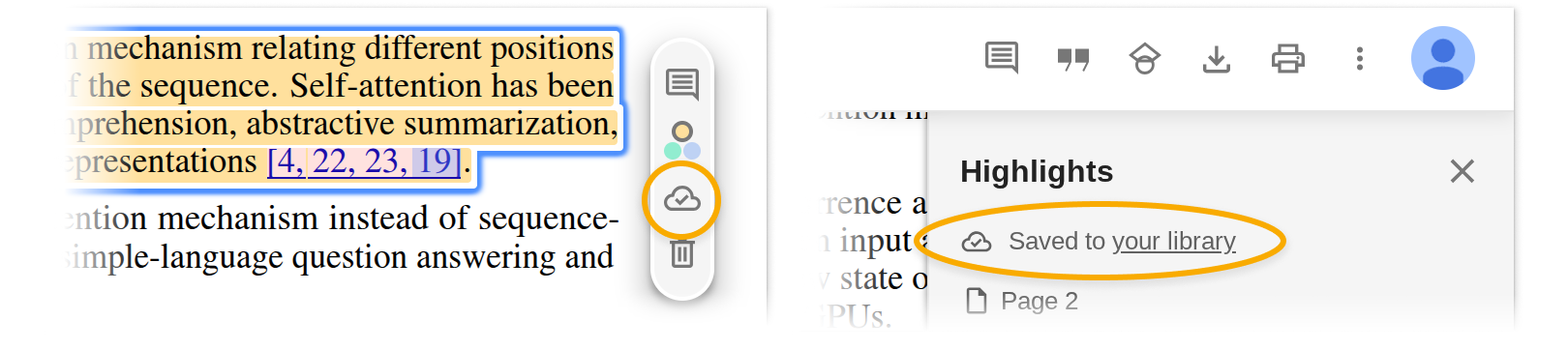
Select the text you want to emphasize, and a popup will appear, allowing you to choose a highlight color or add a comment.
Highlights and comments are saved automatically to your personal Google Scholar Library. The cloud icon confirms your notes are saved online. Access them from any device when logged into your Google account.
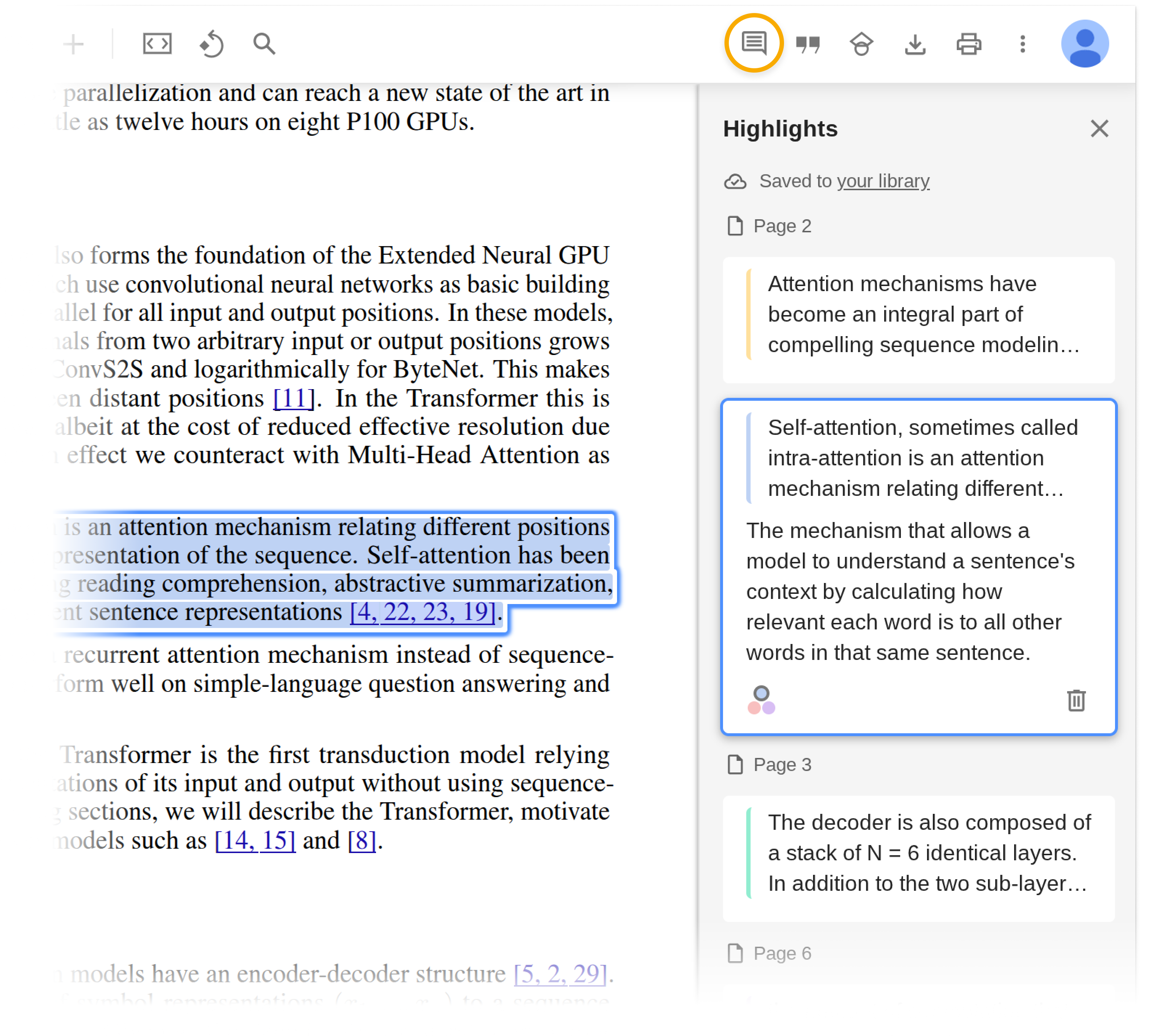
Click the highlight icon in the toolbar to view all your highlights and comments in the PDF.
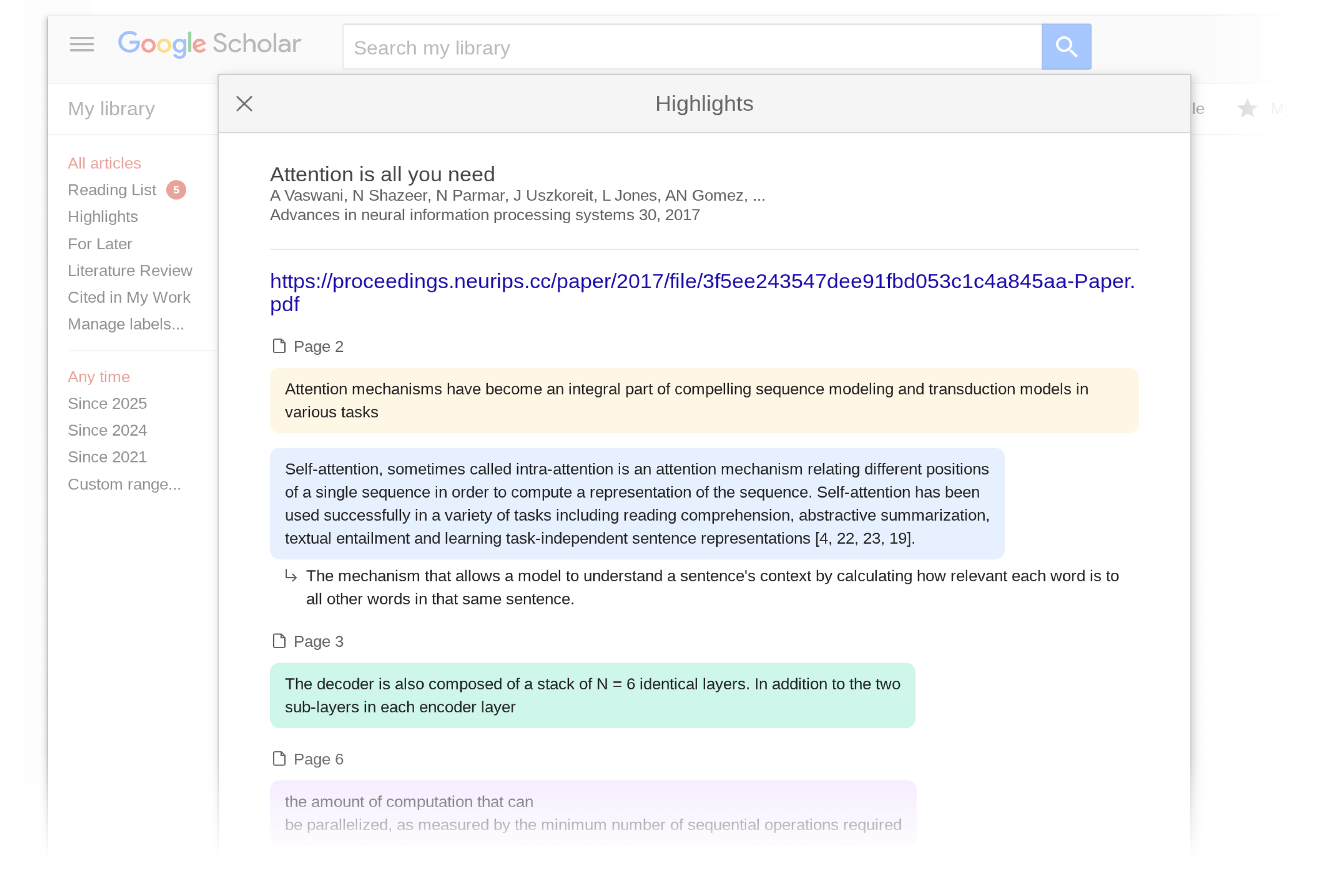
You can also view all your highlights and comments in your Scholar Library.
If you don’t yet have the Reader, you can install it from its Chrome web store page. In addition to highlights, Scholar PDF Reader has many other features to help with your paper reading – AI Outline for quick overview, one-click preview of cited articles, linked figure and table mentions, citing and related articles, and light/dark modes.
Happy reading!
Posted by: Danni Chen, Hanshen Wang, Alex Verstak
注意转载授权 · 阅读原文
来源:Google Scholar Blog · scholar.googleblog.com
引用原文
Alex Verstak. Mark it up! Highlight and comment in Scholar PDF Reader[EB/OL]. (2025-11-11)[访问日期]. http://scholar.googleblog.com/2025/11/mark-it-up-highlight-and-comment-in.html.